Hosted Wan 3.0 Studios vs. Mainstream Cloud Wrappers vs. Local ComfyUI: A Genre Filmmaker's Comparison
Choosing an AI video pipeline for genre cinema, fine-art studies, or high-fashion storyboards used to be a contest of resolution ceilings and frame rates. Today, indie directors comparing video tools hit a subtler bottleneck: two platforms can advertise the exact same flagship video model while delivering completely different results from identical scripts. On one host, a Caravaggio-lit portrait or a rain-soaked noir standoff renders in crisp high definition with synchronized sound; on another, the reference frame is blocked at upload or silently rewritten into a flat stock clip before inference starts.
For filmmakers weighing their production stack, the choice comes down to three distinct setups: dedicated creative cloud studios configured with studio-grade moderation thresholds (often surfaced as Spicy Mode or an unfiltered creative workflow), mainstream cloud wrappers built around conservative enterprise pre-filters, and local ComfyUI workstations running older open-weight checkpoints such as Wan 2.1 and Wan 2.2. As documented in our complete side-by-side Wan 3.0 studio moderation breakdown, knowing what sits between your prompt box and the diffusion transformer saves render credits, prevents silent visual dilution, and clarifies whether cloud hosting or local GPU hardware fits your shoot.
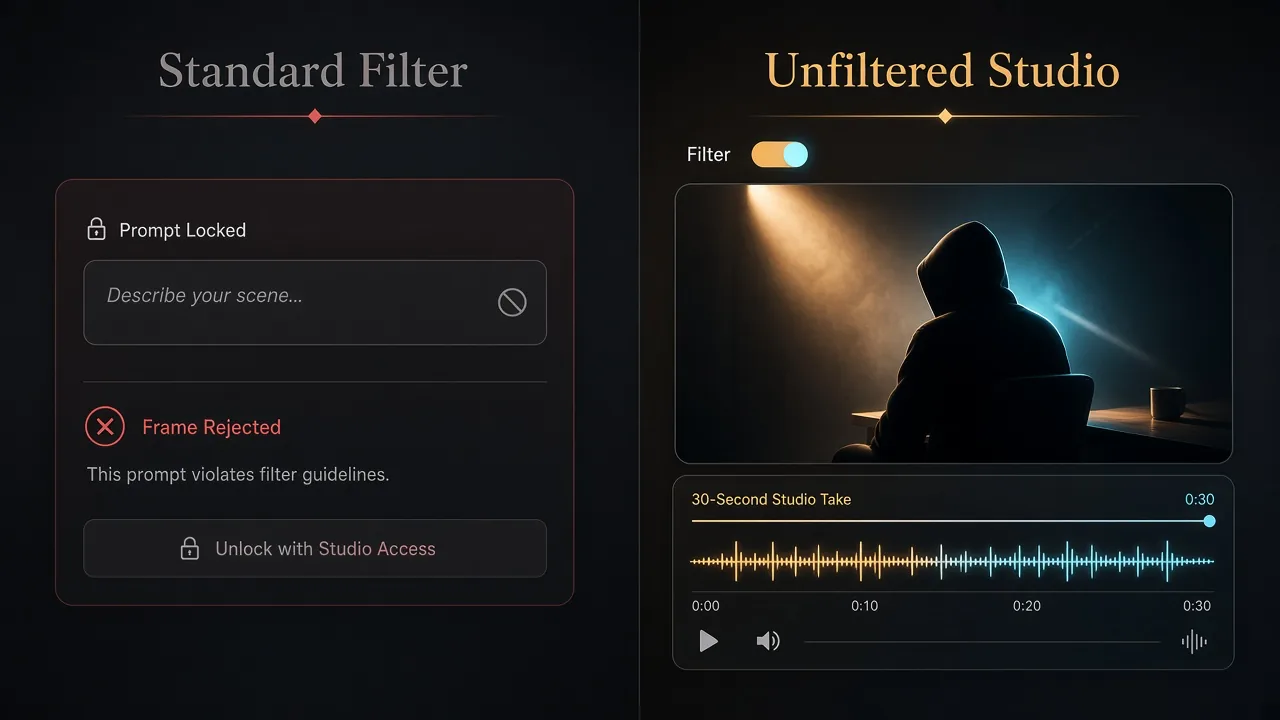
Comparing strict cloud wrapper pre-filters against a dedicated Wan 3.0 studio pipeline with 30-second timeline support and native audio (Illustration generated with AI)
Executive Comparison Summary: Which Pipeline Wins for Which Shoot?
Here is how the three approaches stack up in day-to-day production:
- Best for 30-second single-take cinema and native audio: Dedicated creative cloud studios running Wan 3.0—delivering Text-to-Video, Image-to-Video, and Multi-Reference inputs across 480p, 720p, and 1080p, single-pass durations from 5 seconds up to 30 seconds, native synchronized audio, and studio-grade guardrails that preserve dramatic lighting and wardrobe direction verbatim.
- Best for corporate explainers and paid social ads: Mainstream cloud wrappers and public demos, where conservative keyword screens rarely affect SaaS product tours, architectural walkthroughs, or neutral brand B-roll.
- Best for air-gapped offline node workflows: Local ComfyUI open weights (Wan 2.1 and Wan 2.2) on a 16 GB–24 GB+ VRAM NVIDIA GPU when offline privacy outweighs Wan 3.0's 30-second coherence and native sound.
- Zero neural sharpness difference: Relaxing platform moderation thresholds changes gatekeeping on prompts and reference stills, not neural weights, motion physics, or 1080p pixel sharpness.
- Non-negotiable legal boundaries: Studio-grade moderation removes artistic false positives for fictional cinema and editorial art—never rules against unlawful material, minors, or non-consensual real-person likenesses.
Head-to-Head Matrix 1: Cloud Hosting Environments Compared
Creators testing Wan 3.0 across browser tabs often assume every cloud service passes prompts and stills straight to the model. In practice, each host wraps the video engine in its own API gateway, vision classifier, and prompt policy layer.
| Hosting Environment | Studio / Spicy Option | Prompt & Rewriter Behavior | Reference-Still Intake | Timeline & Audio | Best Filmmaking Fit |
|---|---|---|---|---|---|
| Dedicated Creative Cloud Studios | Yes — Studio thresholds / Spicy Mode | Passes camera, lighting, and thriller prompts verbatim | Accepts classical art, high shadow contrast, and couture silhouettes | Full Wan 3.0: 5s–30s at 480p, 720p, and 1080p with native audio | Genre cinema, noir suspense, fine-art studies, avant-garde fashion |
| Mainstream Cloud Wrappers | No — Strict pre/post guardrails | Blocklists reject tense phrasing or trigger silent LLM rewriters | Sensitive skin-tone bots often reject stylized portraits at upload | Often capped at shorter clips or wrapper queue limits | SaaS demos, corporate marketing, neutral B-roll, paid social ads |
| Official / Public Showcase Demos | No — Fixed conservative rules | Hardcoded public screening with zero policy customization | Blocks borderline shadow contrast or theatrical makeup stills | Short preview caps and heavy peak-hour queues | Quick capability previews and basic motion checks |
| Hugging Face Public Spaces | No — Shared safety checkers | Enforces public community filters and tight token caps | Automated screening and frequent high-res upload timeouts | Usually hosts older open-weight Wan 2.1 / Wan 2.2, not full Wan 3.0 | Casual tests of legacy open-weight checkpoints |
Two mechanisms in this table surprise directors most. First is the silent LLM prompt rewriter. Instead of throwing an error when a script mentions crimson alley shadows, visceral suspense, or draped studio silk, several wrappers quietly instruct an intermediate language model to soften your prompt before calling Wan 3.0—spending full credits on a bright, watered-down clip.
Second is false-positive upload blocking. Vision pre-filters trained on blunt pixel heuristics routinely mistake warm Caravaggio tungsten highlights, marble sculpture, or dramatic runway spotlights for policy violations, stopping Image-to-Video and Multi-Reference shots before inference begins.
Architectural Reality Check: Platform Gateways vs. Neural Model Weights
A common myth in creator forums is that a workspace offering Spicy Mode runs a modified third-party checkpoint. Architecturally, the rendering core is untouched.
Wan 3.0 operates as a unified cloud architecture supporting Text-to-Video, Image-to-Video, and Multi-Reference conditioning with synchronized native audio across clips from 5 seconds up to 30 seconds. As detailed on the Wan 3.0 creative video hub, the diffusion transformer governs optical depth, cloth dynamics, facial continuity, and acoustic timing across 480p, 720p, and 1080p renders.
Sitting outside those neural weights are two host-managed policy gates:
- Pre-Inference Input Screening: Evaluates prompts against keyword rules and scans uploaded stills for skin-tone ratios and shadow contrast.
- Post-Inference Output Auditing: Reviews decoded frames against platform terms before delivery.
Enabling Spicy Mode inside a dedicated studio recalibrates those outer API gates so fine-art, suspense, and editorial prompts are neither blocked nor rewritten. Not a single weight inside Wan 3.0 changes. Render a sunlit mountain dolly shot on a strict wrapper and repeat it in an unfiltered studio: sharpness, lighting physics, and audio sync match frame for frame.
Head-to-Head Matrix 2: Hosted Wan 3.0 Studios vs. Local ComfyUI Open Weights
Technical directors who dislike cloud moderation often ask: Why not run everything offline in ComfyUI? Comparing hosted Wan 3.0 studios against local open-weight setups highlights a clear split in model generation and hardware overhead.
| Comparison Dimension | Hosted Studio-Grade Wan 3.0 Pipeline | Local ComfyUI Open Weights (Wan 2.1 / Wan 2.2 + LoRAs) |
|---|---|---|
| Core Mechanism | Cloud studio calibrates moderation gates around intact flagship weights | User runs older open-weight checkpoints locally, often stacking community LoRAs |
| Weight Availability | Full proprietary Wan 3.0 cloud architecture (Text, Image, Multi-Reference) | Stops at open-weight Wan 2.1 and Wan 2.2; no official local Wan 3.0 weights exist |
| Duration & Native Audio | Single-pass clips from 5 seconds up to 30 seconds with synchronized native audio | Short silent clips (3–5 seconds) requiring manual stitching and external foley |
| Resolution & Sharpness | Native 480p, 720p, and crisp 1080p with long-horizon identity stability | Constrained by VRAM; quantized builds trade micro-texture for memory fit |
| GPU & VRAM Footprint | Zero local GPU needed; runs in any modern browser | Requires an NVIDIA GPU with 16 GB–24 GB+ VRAM, heavy storage, and CUDA setup |
| Motion Stability | Consistent flagship physics, hand structure, and cloth flow; zero adapter drift | Poorly trained community LoRAs often introduce flicker, plastic sheen, or anatomy drift |
| Setup & Security | Instant browser studio with upfront credit metering | Heavy node upkeep; malware risk from fake "offline Wan 3.0 installers" |
The critical distinction is model lineage: Wan 3.0 has no official downloadable local weights. Legitimate offline ComfyUI deployment stops at Wan 2.1 and Wan 2.2. While Wan 2.2 serves builders with 16 GB–24 GB+ VRAM NVIDIA GPUs well for short local tests, it cannot natively render an uninterrupted 30-second 1080p scene with synchronized footsteps, vocal tone, and rain ambience. Avoid third-party sites advertising "offline Wan 3.0 installers"—since no official local package exists, such downloads are disguised API wrappers or malware.
Three Genre Cinematography Benchmarks: Wrappers vs. Studios vs. Local Rigs
To measure real-world impact, we ran identical scripts and keyframes across three safe-for-work genres where naive filters misfire. Further prompt notes appear in our documented Wan 3.0 workflow benchmark.
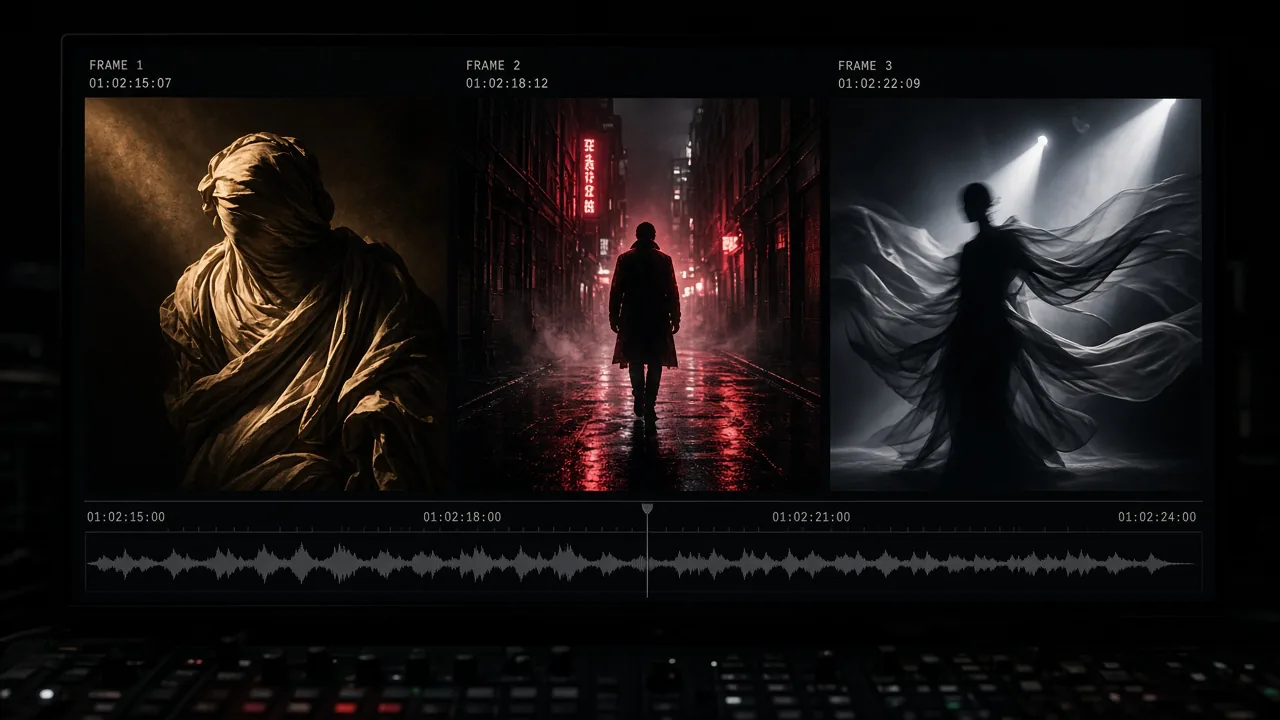
Genre cinematography benchmark suite: classical chiaroscuro sculpture lighting, rain-soaked neon noir suspense, and avant-garde runway fabric physics (Illustration generated with AI)
Benchmark 1: Classical Chiaroscuro Figure & Sculpture Study
- Setup: Oil-painting still of a classical sculptural figure draped in silk under warm Caravaggio tungsten side light, slow dolly-in on an 85mm shallow depth-of-field lens.
- Wrapper vs. Local vs. Studio: Mainstream wrappers blocked closer frames where warm skin-tone highlights tripped upload bots. Local Wan 2.2 rendered a clean silent 5-second pass on 24 GB VRAM. Dedicated Wan 3.0 studio mode passed on attempt one across a 15-second 1080p take with painterly texture, breathing motion, and natural room tone.
Benchmark 2: Psychological Horror & Rain-Soaked Neon Noir
- Setup: Text-to-Video midnight alley standoff with crimson neon rim light, wet asphalt reflections, handheld push-in, thunder, and splashing footsteps.
- Wrapper vs. Local vs. Studio: Wrappers flagged tension phrasing and silently rewrote the scene into a bright street walk. Local Wan 2.2 kept dark contrast but lost rain stability past 5 seconds without audio. Dedicated Wan 3.0 studio mode rendered 20 seconds verbatim, matching native footstep foley to puddles.
Benchmark 3: Avant-Garde Runway & High-Fashion Editorial Motion
- Setup: Image-to-Video couture portrait with structured tailoring and flowing silk under sharp studio spotlights, animated into a 10-second slow-motion sequence.
- Wrapper vs. Local vs. Studio: Mainstream wrappers rejected the portrait at upload. Local Wan 2.2 accepted it with minor silk shimmer. Dedicated Wan 3.0 studio mode preserved facial identity, spotlight falloff, and fluid silk physics across a crisp 10-second 1080p clip.
Decision Guide: When Dedicated Studios Beat Standard Wrappers
- Choose a Dedicated Wan 3.0 Studio for: Psychological horror, rain-soaked noir, and dark fantasy storyboards; classical sculpture, contemporary dance, and chiaroscuro fine art; avant-garde runway and swimwear editorial reels; fictional drama needing 15-second to 30-second continuity with native sound; and anatomical or artistic movement studies.
- Choose Standard Wrappers or Local Open Weights for: SaaS explainers, product turntables, and architectural B-roll; paid social ads headed straight to Meta, TikTok, or YouTube ad managers (which apply strict downstream ad review regardless of generation host); or short Wan 2.1 / Wan 2.2 experiments kept 100% offline on a 16 GB–24 GB+ GPU workstation.
Four-Step Production Protocol for Repeatable Wan 3.0 Comparison Testing
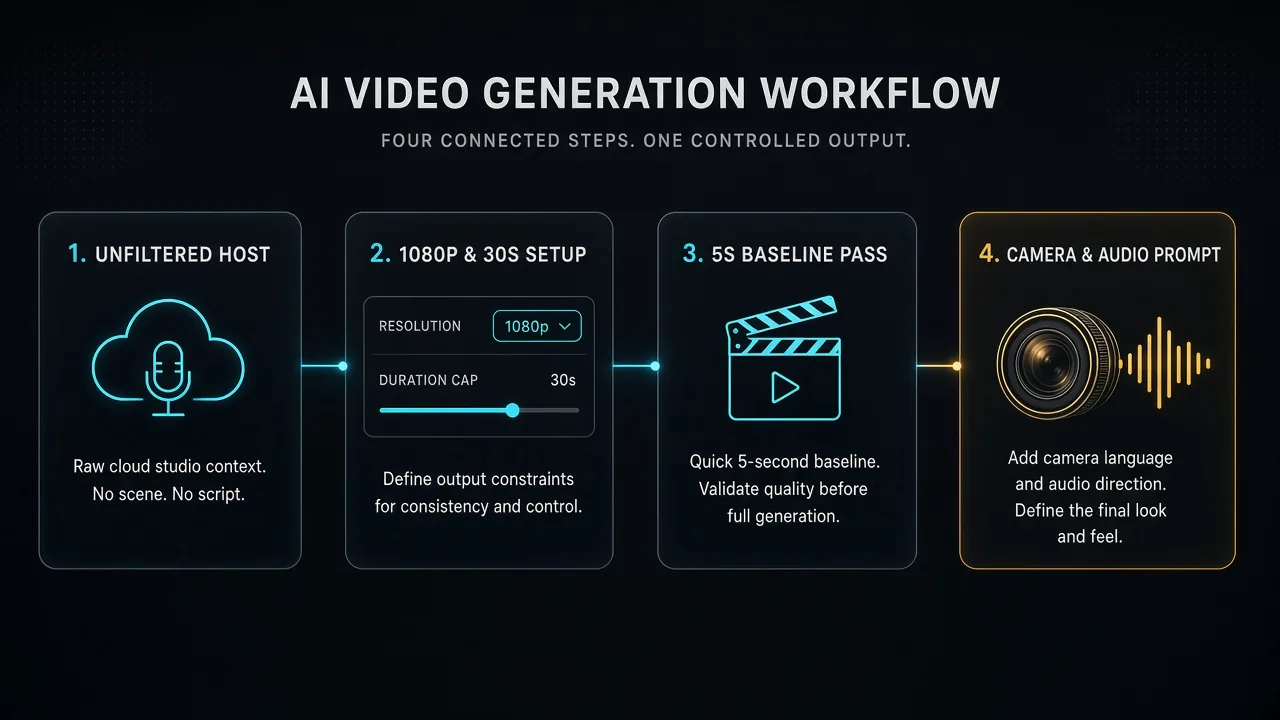
Four-stage comparison testing and production workflow: studio selection, 480p to 1080p parameter setup, 5-second baseline pass, and 85mm camera choreography (Illustration generated with AI)
Step 1: Select a Dedicated Studio Without Keyword Blocklists
Start in a creative cloud studio supporting studio-grade moderation thresholds (Spicy Mode or unfiltered creative prompting) and transparent per-clip credits across Text-to-Video, Image-to-Video, and Multi-Reference tools.
Step 2: Configure Mode, Resolution (480p–1080p), and Horizon (5s–30s)
Select Wan 3.0, choose Text-to-Video or Image-to-Video / Multi-Reference, set resolution (480p or 720p for drafts; 1080p for masters), pick a duration from 5 seconds to 30 seconds, and enable Spicy Mode.
Step 3: Validate With a 5-Second Baseline Test Pass
Before spending credits on a 15-second or 30-second 1080p render, run a 5-second test pass at 480p or 720p with your exact prompt and keyframe to verify intake clearance, camera speed, and shadow balance cheaply.
Step 4: Direct With Concrete Optical and Acoustic Cues
- Optics & Rig: Specify 85mm shallow depth of field, slow dolly-in, locked-off tripod shot, or handheld tracking.
- Light & Texture: Anchor warm tungsten key light, crimson rim glow, wet pavement reflections, or subtle 35mm grain.
- Ordered Beats & Sound: Sequence physical actions cleanly and describe rain ambience, footsteps, or fabric rustle for native audio sync.
Responsible Use, Legal Guardrails, and Asset Hygiene
Relaxed studio moderation exists solely for legitimate fine art, genre cinema, and fashion editorial projects featuring fictional adult characters or visual assets you own and hold authorization to animate:
- Zero Tolerance Regarding Minors: Any prompt, still, or output involving minors or underage-appearing subjects is permanently prohibited everywhere.
- Consent & Likeness Laws: Generating non-consensual depictions of real, identifiable people violates platform terms and laws including the US TAKE IT DOWN Act.
- No Unlawful Material or IP Theft: Harassment, defamation, unlawful violence, and copyright-infringing commercial assets remain banned regardless of filter settings.
- Archive & Publishing Hygiene: Back up approved 1080p masters locally after each session and apply required AI disclosures on public networks.
Frequently Asked Questions for Filmmakers Comparing Wan Pipelines
Does Spicy Mode improve raw 1080p sharpness over standard wrappers?
No. Studio-grade moderation adjusts gatekeeping on prompts and reference stills, not Wan 3.0's neural weights. Neutral landscape prompts render with identical sharpness and physics in both setups.
Are official Wan 3.0 weights available to download for local ComfyUI?
No. Wan 3.0 has no official downloadable local weights. Local open-weight ComfyUI support stops at Wan 2.1 and Wan 2.2 (16 GB–24 GB+ VRAM NVIDIA GPUs). Avoid fake "offline Wan 3.0 installers."
Why did my noir thriller prompt render on a wrapper yet look bright and flat?
Many wrappers route dark or tense prompts through a silent LLM prompt rewriter that strips high-contrast lighting and suspense cues before inference—spending credits on a diluted script.
Does studio hosting matter more for Text-to-Video or Image-to-Video?
Both benefit, though Image-to-Video and Multi-Reference workflows gain most because strict upload classifiers frequently block classical sculpture lighting and avant-garde fashion portraits at the door.
Can clips created in an unfiltered Wan 3.0 studio be used commercially?
Yes, provided your studio plan includes commercial licensing and your work respects copyright, trademark, and likeness laws.

评论
发表评论